☆How to post questions/comment as anonymous☆

When you post your questions/comments to our community, you can select to disclose your name or not.
Please find below procedure 1~4 if you would like to post your questions/comments as anonymous user.
1. Sign-in
2. Click user icon on right-top and select 'profile'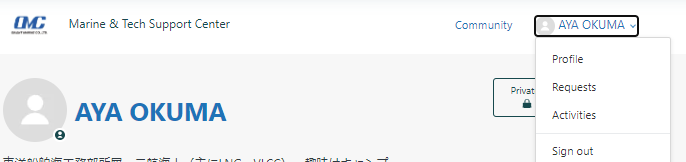
3. Click 'profile edit'
4. Input any name into 'Alias(optional)' column and click OK.
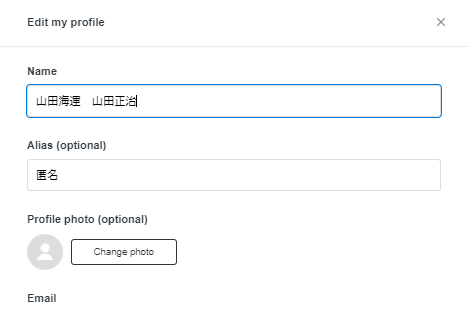
After completion of above procedure, your questions/comments will be posted with the name which you entered in the 'Alias(optional)' automatically.
0
Please sign in to leave a comment.
Comments
0 comments